
SchoolData is developing tools to assist students with special needs or those requiring accommodations. However, there are tools available for most operating systems and browsers today that can provide assistance.
Zoom or Magnify
Within most browsers, a zoom feature allows students with visual impairments to magnify the screen or text size. The following are links to instructions on using Zoom and increasing text size within several popular browsers:
To set Zoom options at the operating system level, read the following instructions:
Text-to-Speech
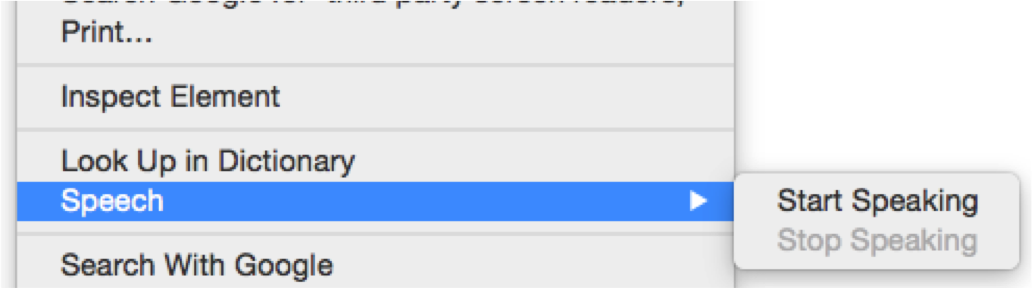
To have any Classroom textual content read aloud to the student, consider using your operating system's built-in text-to-speech features. Browsers like Chrome and Firefox will require an add-on or extension. Safari accesses the built-in accessibility options of the Apple OS, and Internet Explorer utilizes Narrator, which is available in Windows XP, Vista, Windows 7, and Windows 8.
Dictation (Speech Recognition)
Classroom allows teachers to add essays and short-answer questions to their assignments or assessments. For some students, typing or keyboarding can be a challenging task. To improve a student's response, try using computer-responsive dictation.
Later versions of the Windows OS, including Vista, Windows 7, and Windows 8, have built-in speech recognition. Access the Windows Control Panel to set up dictation requirements and train the computer to recognize a student's voice.
Later versions of the Apple OS also have built-in dictation features.
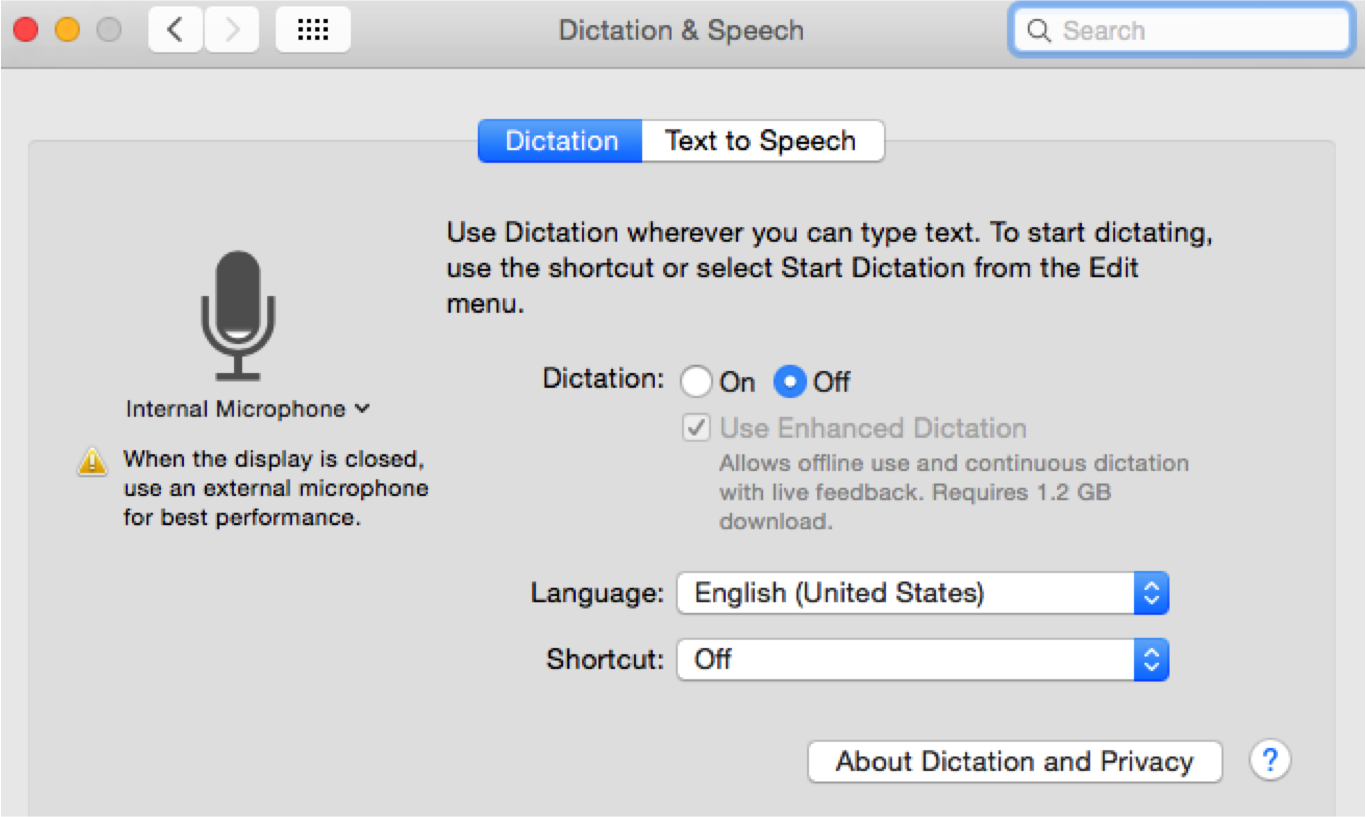
Additionally, many third-party applications are frequently used for dictation.
At the operating system level, read the following for more information on general accessibility features:
Additionally, many browser add-ons, third-party screen readers, and free translation tools are available for purchase to support students with special needs.
Comments
0 comments
Article is closed for comments.