Connect AI supports educators with a number of everyday tasks similar to a personal data assistant or coach.
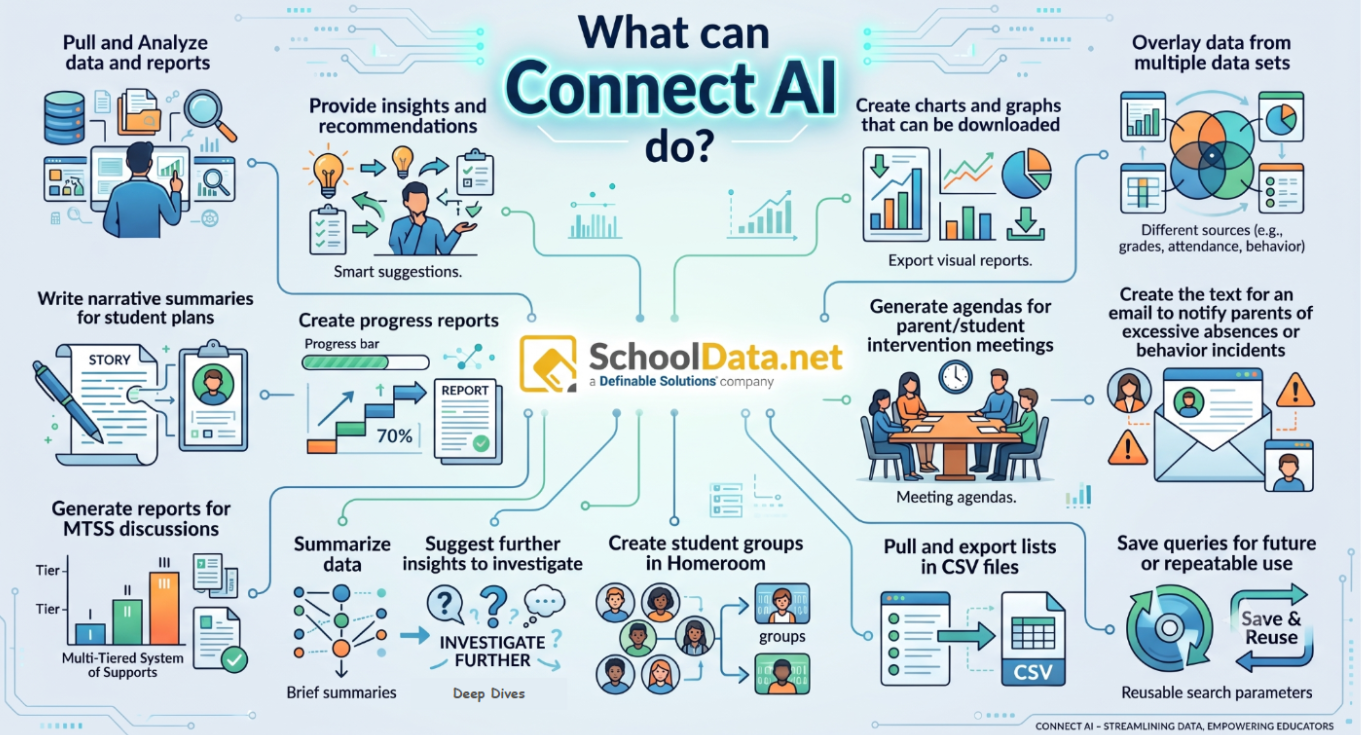
| Role | What You Can Do With Connect AI? |
|---|
| Superintendents | - Evaluate overall district performance and student outcomes across schools.
- Pull and analyze district-wide reports for board sessions and audits.
- Summarize complex district data into executive visual charts and graphs.
- Overlay data across multiple data sets such as grades, attendance, and behavior.
- Save custom queries to reuse for recurring executive and school board updates.
|
| Curriculum Leaders | - Measure the instructional ROI of curriculum programs funded by the district.
- Track assessment growth across schools, grade levels, and subject areas.
- Create visual charts and graphs to defend effective programs with evidence.
- Receive smart AI suggestions to investigate further insights into student achievement.
- Pull and export detailed data lists into CSV files for targeted curriculum analysis.
|
| School Psychologists & MTSS Coordinators | - Identify Tier 1 students showing multiple risk indicators who need intensive intervention.
- Generate reports and visual progress bars for Multi-Tiered System of Supports (MTSS) discussions.
- Analyze peer comparison groups and cross-domain histories in seconds.
- Write narrative summaries to support individual student plans.
- Generate agendas for parent and student intervention meetings.
|
| Principals & Building Administrators | - Analyze chronic absenteeism trends and identify affected grade levels.
- Turn building data into immediate action plans without waiting on data teams.
- Summarize building-level data into clear insights and recommendations.
- Create and export downloadable charts and visual reports for staff meetings.
- Export student and grade-level list data to CSV files for administrative tracking.
|
| Teachers | - Identify students performing below benchmark in reading or math who require additional support.
- Create targeted student groups in Homeroom for differentiated instruction.
- Draft notification email text to parents regarding excessive absences or behavior incidents.
- Generate individual student progress reports with visual tracking bars.
- Easily access assessment performance by subject area without complex data filtering.
|
Was this article helpful?
0 out of 0 found this helpful
Have more questions? Submit a request

Comments
0 comments
Article is closed for comments.