
In the ALE Application, parents can be given the opportunity to complete a survey indicating their interest in class offerings for the upcoming term or school year. If this is utilized in your program, you will be notified when the link is available in the left navigation after logging in.
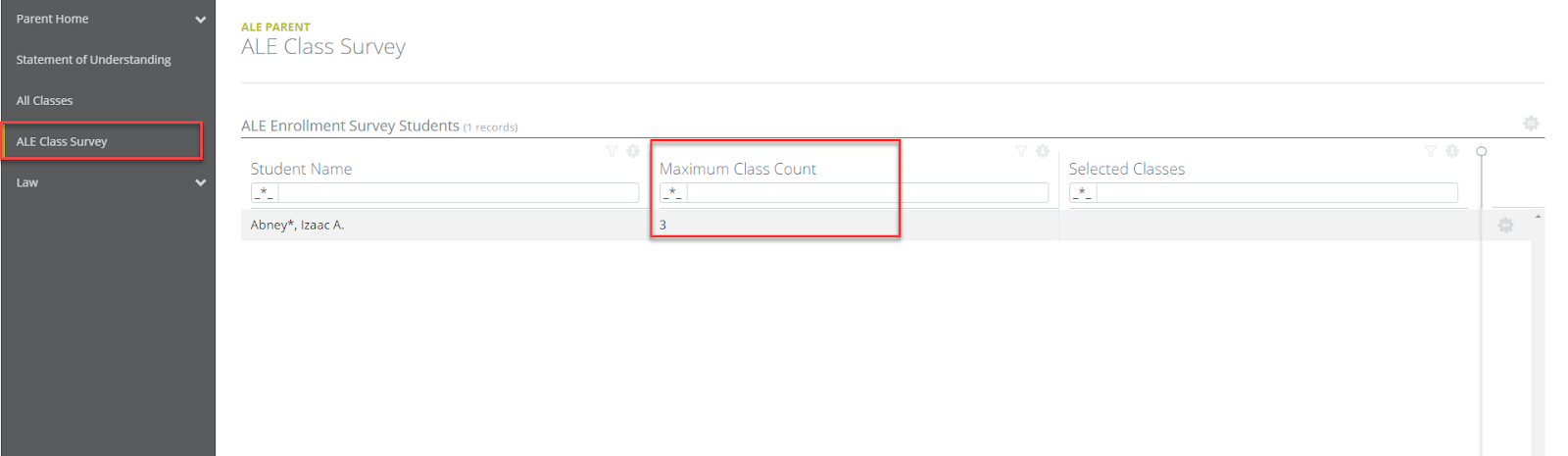
Click on the ALE Class Survey link in the left navigation bar. Here, you will see a list of all the students you are associated with and how many “votes” they have each been allocated in the Maximum Class Count column.
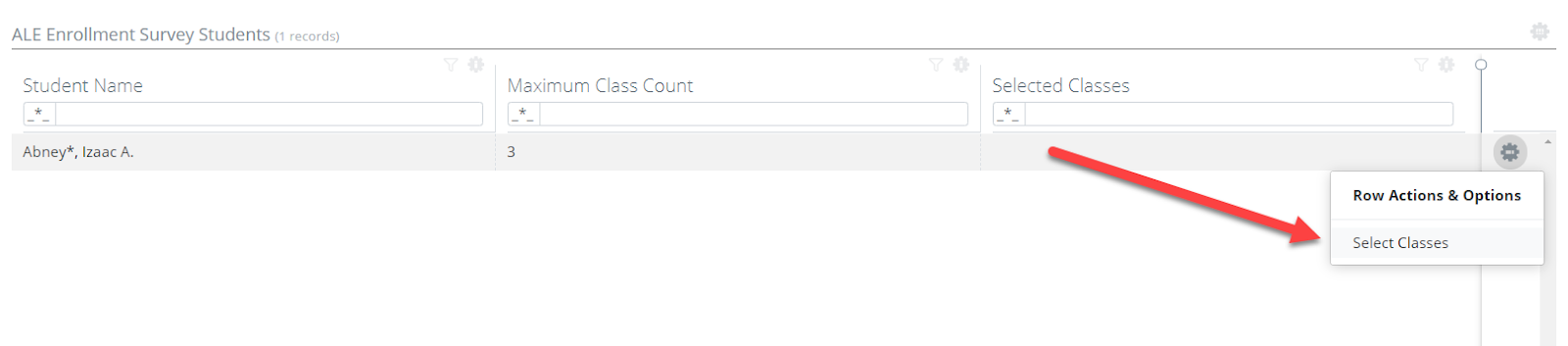
Using the Row Action & Options gear next to one student, choose Select Classes.
A form will open to choose the classes you’d like to vote for. Click Select.

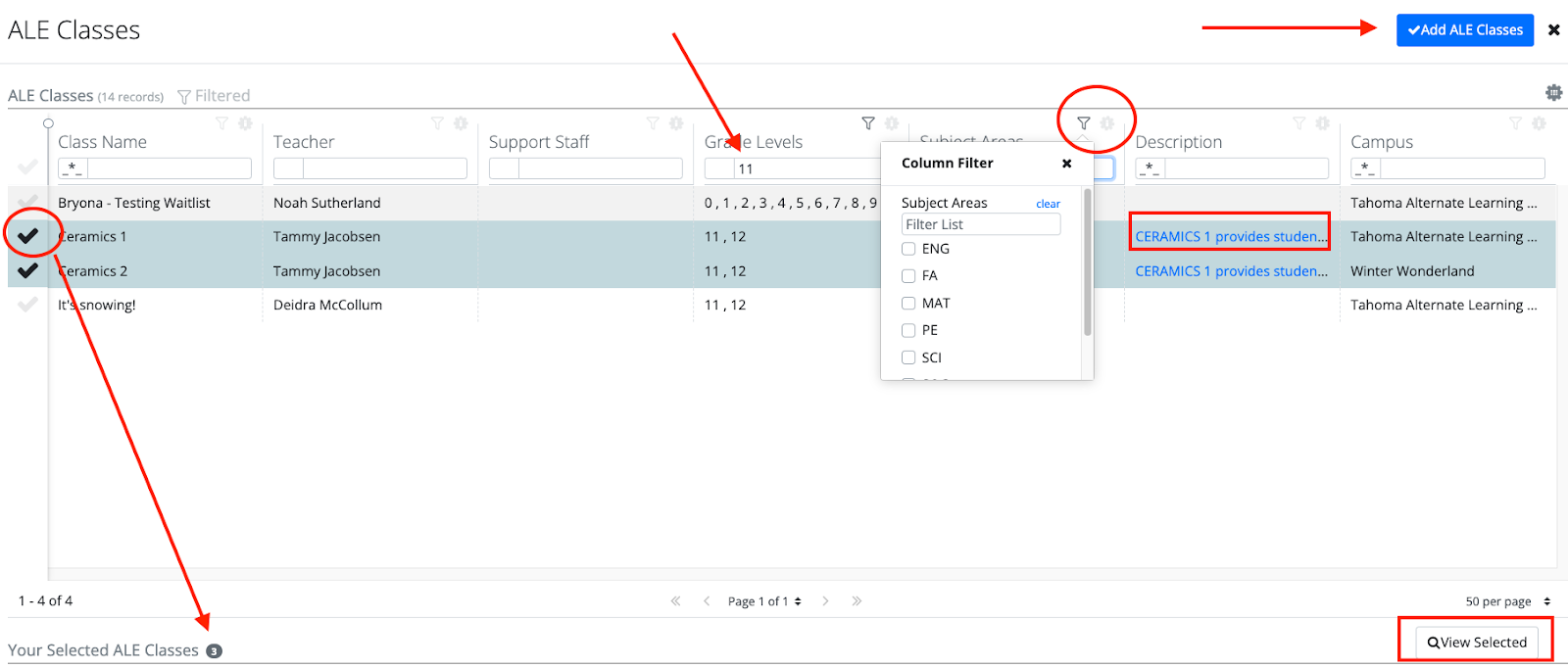
You will see a list of all available classes to vote for. You can use the quick filter field boxes at the top of each column to search and narrow down the results. You can also access more powerful filters by clicking on the funnel icon or gear icon at the top of each column.
Clicking the blue hyperlink in the Description column will open a pop-up window with the full description for the class. Click the “X” to close it.

Click the checkmark next to the class you would like to choose. This will then be reflected as a number in Your Selected ALE Classes at the bottom of the page. At any time, review your selections by clicking the View Selected button. After selecting all your classes, click Add ALE Classes to save your selections.
If you attempt to exceed the number of “votes” given to you for this student, you will receive a message reminding you how many classes you may choose.
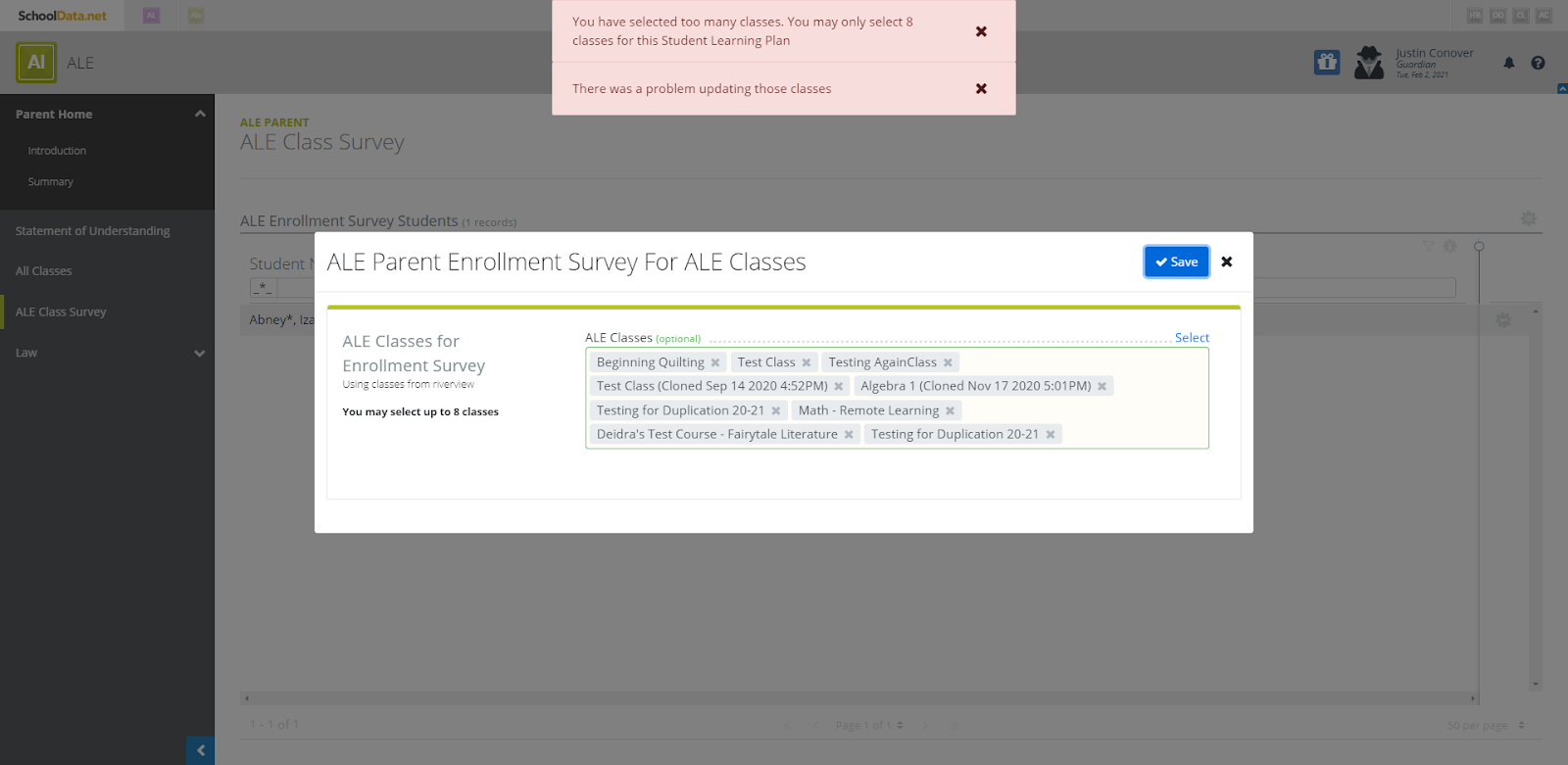
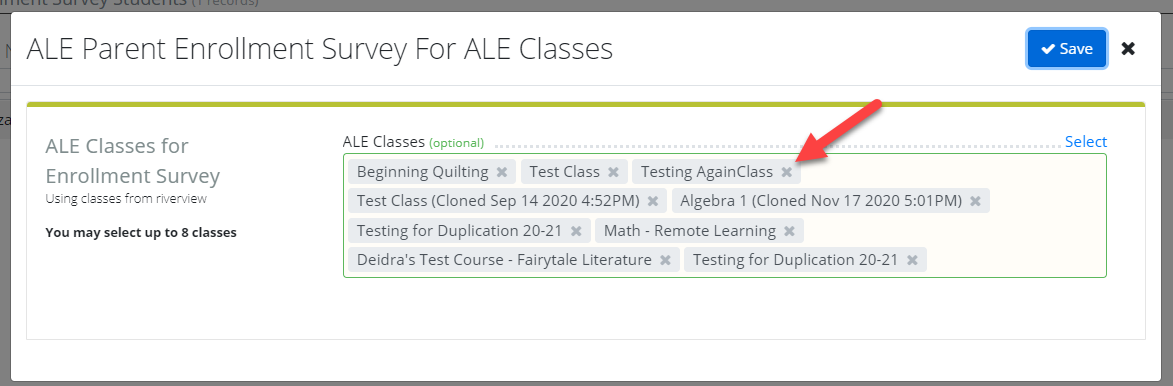
To remove a selection, click the “x” next to the name. To Save your selections, click Save.
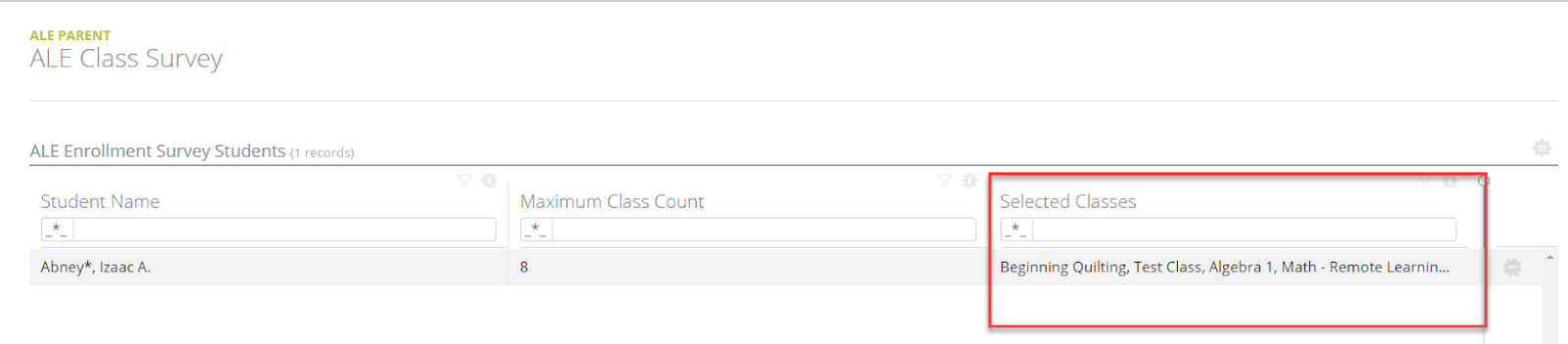
The classes will be displayed in a list in the table on the Ale Class Survey Page. You may make changes to your selections anytime the survey is available.
Searching for a particular subject? The subject area abbreviations are as follows:
| AGR | Agriculture, Food and Natural Resources |
| ARCH | Architecture and Construction |
| BUS | Business and Marketing |
| CIS | Computer and Information Sciences |
| COMM | Communications and Audio/Visual Technology |
| ENG | English Language and Literature |
| FA | Fine and Performing Arts |
| GOV | Public, Protective, and Government Service |
| HCS | Health Care Sciences |
| HOSP | Hospitality and Tourism |
| HUM | Human Services |
| LANG | Foreign Language and Literature |
| MAN | Manufacturing |
| MAT | Mathematics |
| MIL | Military Science |
| MISC | Miscellaneous |
| NON | Nonspecific Subject |
| PE | Physical, Health, and Safety Education |
| SCI | Life and Physical Sciences |
| SOC | Social Sciences and History |
| TECH | Engineering and Technology |
| THEO | Religious Education and Theology |
| TRAN | Transportation, Distribution, and Logistics |
Comments
0 comments
Please sign in to leave a comment.