
New Features
- The Navigation bar when adding or editing a Four Year plan has updated.
- [FYP-331] - Course select list now displays the courses Career Path(s); this field is manageable by the district.
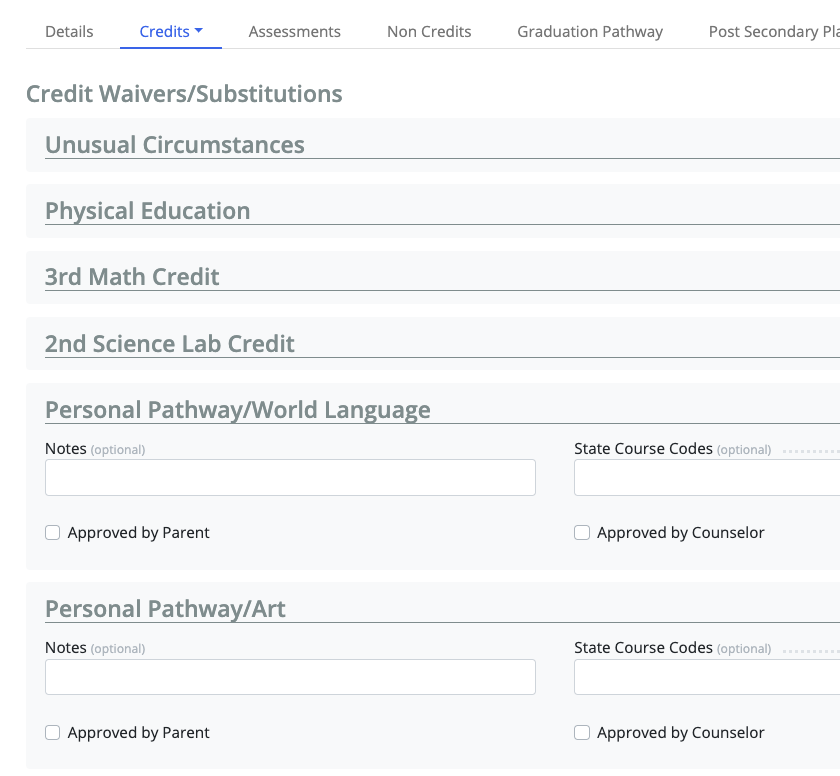
- [FYP-415] - The “Credit Waivers/Substitution” section can now be suppressed from view for Students, so only to allow Educator to see it/fill in
- If you would like this to be put into place for your district, please contact support@schooldata.net

Tasks
- [FYP-387] - Students when adding courses are now provided a pop-up if a course has prerequisites, co-requisites, notes, or fees tied to the selected course.
- [FYP-413] - Additional grade levels can be added now on Four Year Plan (FYP) courses from within the FYP Data Admin tools
- [FYP-416] - Added Rows to a student’s FYP can now be deleted
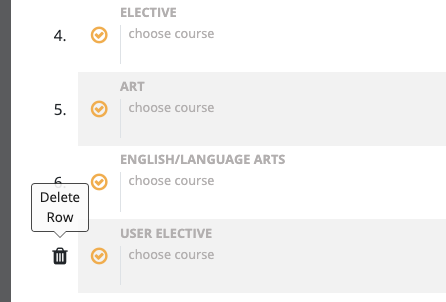
- To add a row to the student's plan, click the gear icon when editing a schedule.
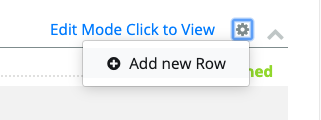
- It is added with label User Elective and allows the student to pick any courses that made the grade level on that schedule.
- To add a row to the student's plan, click the gear icon when editing a schedule.
- [FYP-418] - Grade levels coming from the SIS on courses can now be suppressed from within the FYP Data Admin Tools
- There are three areas for Grade Level, only viewable to Educators with access to the Data Admin Tools.
- Included Grade Levels: this field is optional, but won't hurt to fill in. It is really only necessary if you are wanting to include additional grade levels.
- Excluded Grade Levels: this field is optional; only necessary if you want EXCLUDE from grade level selection of those come in from the SIS
- Grade Levels from the SIS: this is information only and can NOT be edited; used to identify grades that can pick the course, grade level to be excluded or included.
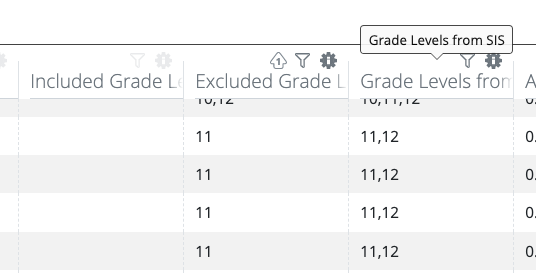
- There are three areas for Grade Level, only viewable to Educators with access to the Data Admin Tools.
Improvements
- [FYP-394] - When changing a school in a FYP, only schools with a grade level in that part of the schedule are listed
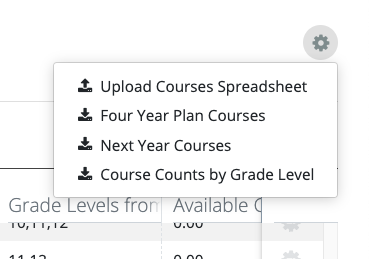
- [FYP-386] - FYP Data Admin tools now provide a way to pull student course selections
- [FYP-393] - FYP Data Admin tools now allow new courses to be added
- [FYP-401] - FYP Data Admin Courses table now downloads selected columns
- [FYP-409] - On the schedule in course selection, a hyperlink is now available to click to see the course narrative, prerequisites, fees, and other details on a course
- [FYP-412] - In the Data Admin tools, the Four Year Plan course table now by default displays course descriptions and active courses.
- Filters can be used to sort courses; columns can be added/removed through the Data Table tools gear.
- [FYP-422] - Saving a Four Year Plan now takes the user directly to the Schedule page
- [FYP-423] - Editing a Four Year Plan now takes the user directly to the Schedule page
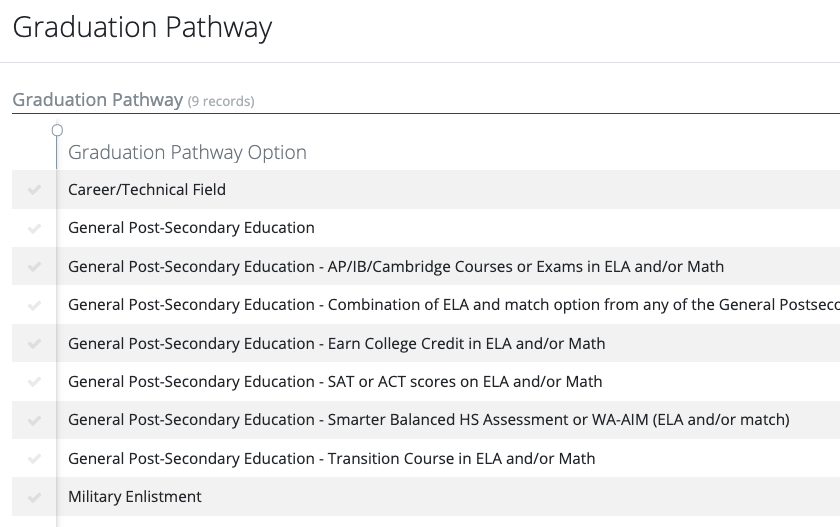
- [FYP-426] - Graduation Pathway select list now provides all pathway options to choose
- [FYP-427] - Personalized Pathway option for Art substitution is now available in the Waivers area
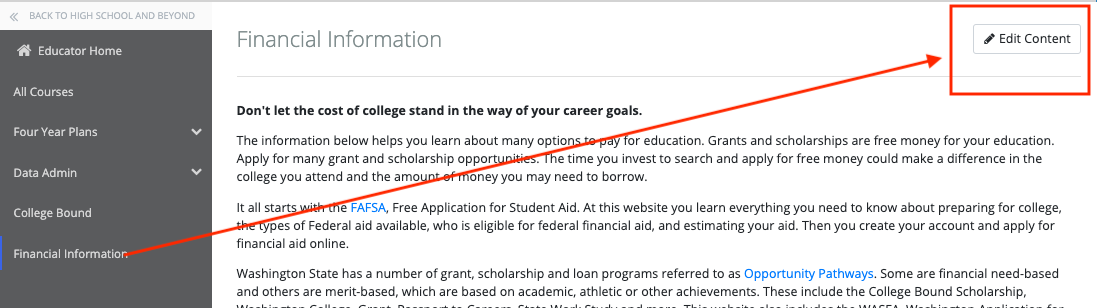
- [HSB-16] - Financial Information page can now be updated by those with FourYearPlansDataAdmin permissions.
Comments
0 comments
Please sign in to leave a comment.